
Guests
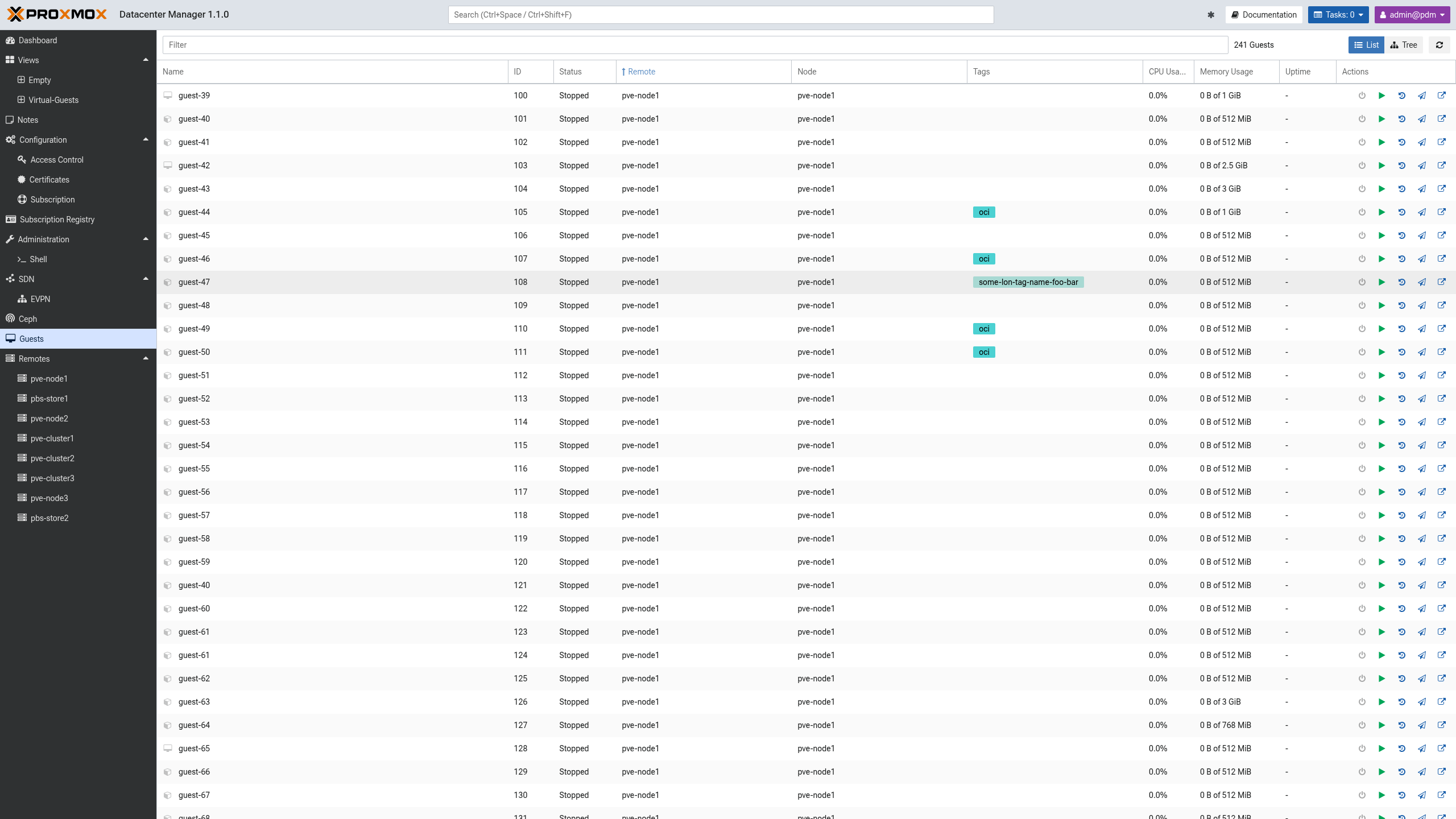
The "Guests" entry in the sidebar provides a single, cross-remote view of every QEMU virtual machine and LXC container that Proxmox Datacenter Manager knows about. It collects the guests of all configured Proxmox VE remotes into one list, so the whole fleet can be searched, sorted, and acted on without first navigating to the owning remote.
It covers the most common day-to-day tasks, including the per-guest power actions and snapshot management.
List and Tree View
A toggle in the toolbar switches between two presentations of the same data:
List: a flat, sortable table of all guests. This is the default. It shows the guest name, ID, status, remote, node, tags, CPU usage, memory usage, uptime, and a column of per-guest actions. Click a column header to sort by it, including by CPU or memory usage.
Tree: the guests grouped by remote, each remote a collapsible parent with its guest count. The columns are the same except that the remote is implied by the group, so it is not repeated per row.
Filtering
The "Filter" box narrows the list as you type. A bare word matches as a substring against every visible column, such as the name, ID, status, type, node, remote, or tags.
A term can also be qualified with a field:value prefix to restrict it to a
single column. The supported qualifiers are:
tag:-- a guest tagremote:-- the remote namenode:-- the node namestatus:-- the run status, such asrunningorstoppedtype:-- the guest type,qemuorlxc
Multiple terms are combined with a logical AND and separated by spaces, so
tag:prod status:running matches only running guests that carry the prod
tag. Matching is case-insensitive. This is the same qualifier syntax as the
global search field in the header.
Guest Actions
The actions column offers the common life-cycle operations for each guest, enabled according to its current state:
Start: power on a stopped guest.
Resume: resume a paused or suspended QEMU virtual machine, complementing the start, shutdown, and stop actions. Offered only for QEMU guests in a paused, suspended, or prelaunch state.
Shutdown: gracefully shut down a running guest.
Snapshots: open the snapshot management dialog for the guest (see below).
Migrate: migrate the guest to another node, within the same remote (cluster) or across remotes. Not offered for templates.
Open in PVE UI: open the guest in the backing Proxmox VE web interface in a new tab.
Snapshots
Snapshot management is available for both QEMU and LXC guests, either from the "Snapshots" action in the guest list or from the "Snapshots" tab in a guest's detail panel.
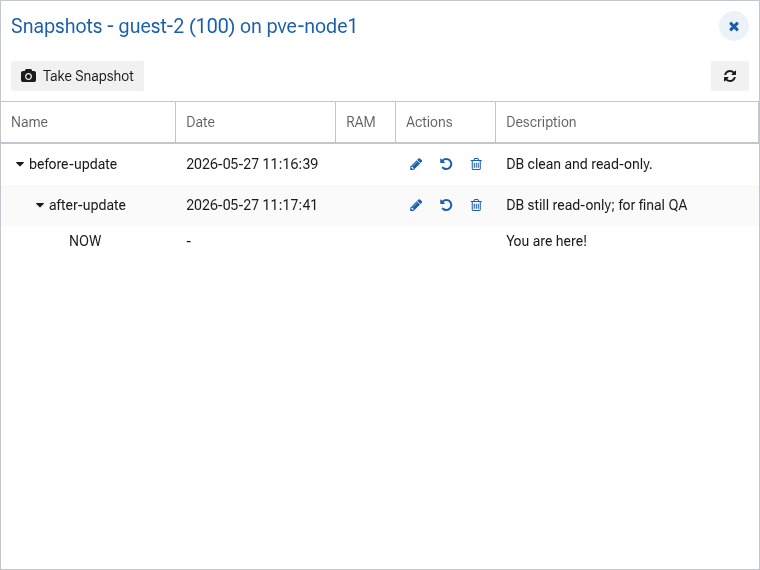
The dialog lists a guest's snapshots as a parent/child tree that reflects how
each snapshot was taken from the one before it. The current running state is
shown as a NOW entry at the appropriate place in the tree. For each snapshot
the dialog shows the name, the time it was taken, whether it includes the guest
RAM (for QEMU guests), and its description.
The following operations are available:
Take Snapshot: create a new snapshot of the current state. For QEMU guests the memory can optionally be included.
Edit Description: change the description of an existing snapshot.
Rollback: revert the guest to the selected snapshot.
Delete: remove the selected snapshot.
Permissions
The guest list shows the resources the user may audit, and every action is carried out against the backing remote, where the remote's own privileges apply. An operator therefore needs the appropriate permission on the target guest's remote for an action to succeed.